
Privacy zones: location sharing with more privacy
Location sharing is useful until you realize that there are situations in life where you need a little more privacy even from your own family. Be it shopping for a gift or being in a place that should stay private, turning off sharing will work and will give you some peace of mind, but you have to remember to turn it back on.
Privacy zones sit in the middle. You keep sharing your location with a group, and Paralino automatically hides your precise position whenever you enter an area you have marked as private. Privacy zones are a great way to protect your privacy without having to turn off location sharing entirely.
What is a privacy zone?
A privacy zone is an area on the map that only you can see. When you step inside it, Paralino stops sharing your exact coordinates and shows group members an approximate area instead. When you leave, normal sharing resumes on its own.
Unlike places, which belong to the whole group, privacy zones are yours alone. Other members cannot see where your zones are on the map. They are not notified when you create one, enter one, or delete one. The zones are end-to-end encrypted, same as the rest of your location data.
What happens when you enter a zone
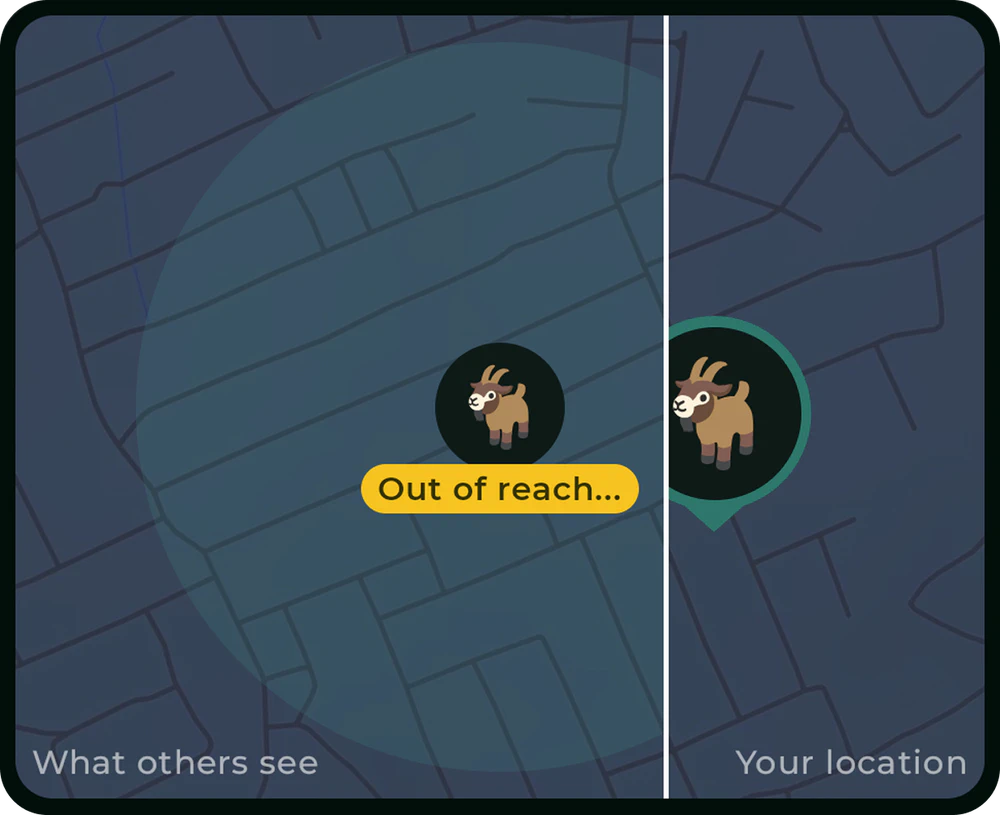
Paralino picks a random point inside your zone and uses that as the center of the approximate area it shares. The shared radius can be up to twice the zone radius so the whole area stays covered.
Your map marker stays on that random point while you are inside the zone. Walk around all you want: the marker will not move, and that is the point. Leave the zone and you will be back to normal sharing.
If you also have manual approximate location sharing turned on, whichever setting uses the larger radius wins, so you can combine the two to best fit your needs.
What your group actually sees
Members see only your approximate position. They never see your real location or the outline of your privacy zone.
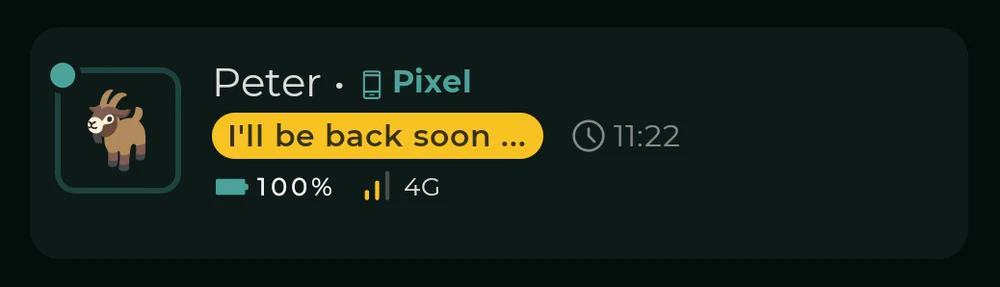
You can choose what appears on your member card while you are inside a zone. Turn on zone status sharing and you can set a short custom message, something like “Secret shopping”, so people know you are fine without revealing where you are. Turn it off and they only see that your location is not accurate.
Creating your first zone
You can long-press on the map where you want the zone, choose “New privacy zone” and confirm. Your zone is active immediately and your location will be protected as soon as you enter it.
Others are not notified that you’ve created a zone. You can edit the name, radius, expiration, or status message anytime from the zone details screen.
A few things to know
While you are inside a privacy zone, your location is deliberately imprecise. That has side effects:
- Place alerts will not fire for any place inside or overlapping your zone.
- Your speed and elevation are not shared with the group.
Privacy zones are not lying or faking your location. They protect it by sharing an approximate area instead of your exact coordinates. Therefore you cannot fake that you are in London while you are actually in Paris.
Try privacy zones in Paralino
If you share your location with family or friends and want more control over what they see at home, at work, or anywhere else that should stay private, privacy zones are worth setting up. To learn more, check out the privacy zones documentation.
And to start using them:
Download Paralino now