Paralino Support
Docs
  • Welcome
  • Account
    • How to create a new Paralino account
    • Guest accounts and how to convert them
    • How to setup a profile
    • How to reset your password
    • How to update your profile
    • What is Paralino.ID
    • How to change your email
    • How to change your password
    • Blocklist
    • How to delete your account
  • Groups
    • How to create or join a group
    • How to update group details
    • How to delete a group
    • How to leave a group
    • How to switch between groups
    • How to add a new member to a group
    • How to remove a member from a group
    • Member limit in a group
    • Device limit in a group
  • Personal Space
    • What is Personal Space
    • Personal device tracking
    • Device Management
    • Personal Location History
  • Location Sharing
    • How to share location
    • How to share speed, elevation, battery level
    • How to share approximate location
    • How to adjust duration of location sharing
    • How to share location all the time
    • Location sharing permissions
    • Low battery notifications
    • Sharing location on multiple devices
    • How to stop sharing location
    • How to remove a device from a group
    • How to clear your location
    • How to rename a device in a group
    • How location updates work
    • Manual Location Updates
    • Location Settings
  • Places
    • What are places or geofences
    • How to create a place
    • How to delete a place
    • Place notifications
    • Location Sensitivity
  • Privacy Zones
    • What are privacy zones
    • How to create a privacy zone
    • How to delete a privacy zone
  • Location History
    • What is Location History
    • How to view location history
    • Map Interaction
    • Managing History
  • General
    • App Permissions
    • De-Googled Android App
    • Persistent Android notifications
    • Premium Plans
    • Paralino FAQ
Paralino Support
  • Home
  • FAQ
  • Download
  • Feedback
  • English

  • Deutsch

Search

Loading search index…

No recent searches

No results for "Query here"

  • to select
  • to navigate
  • to close

Search by FlexSearch

Privacy Zones

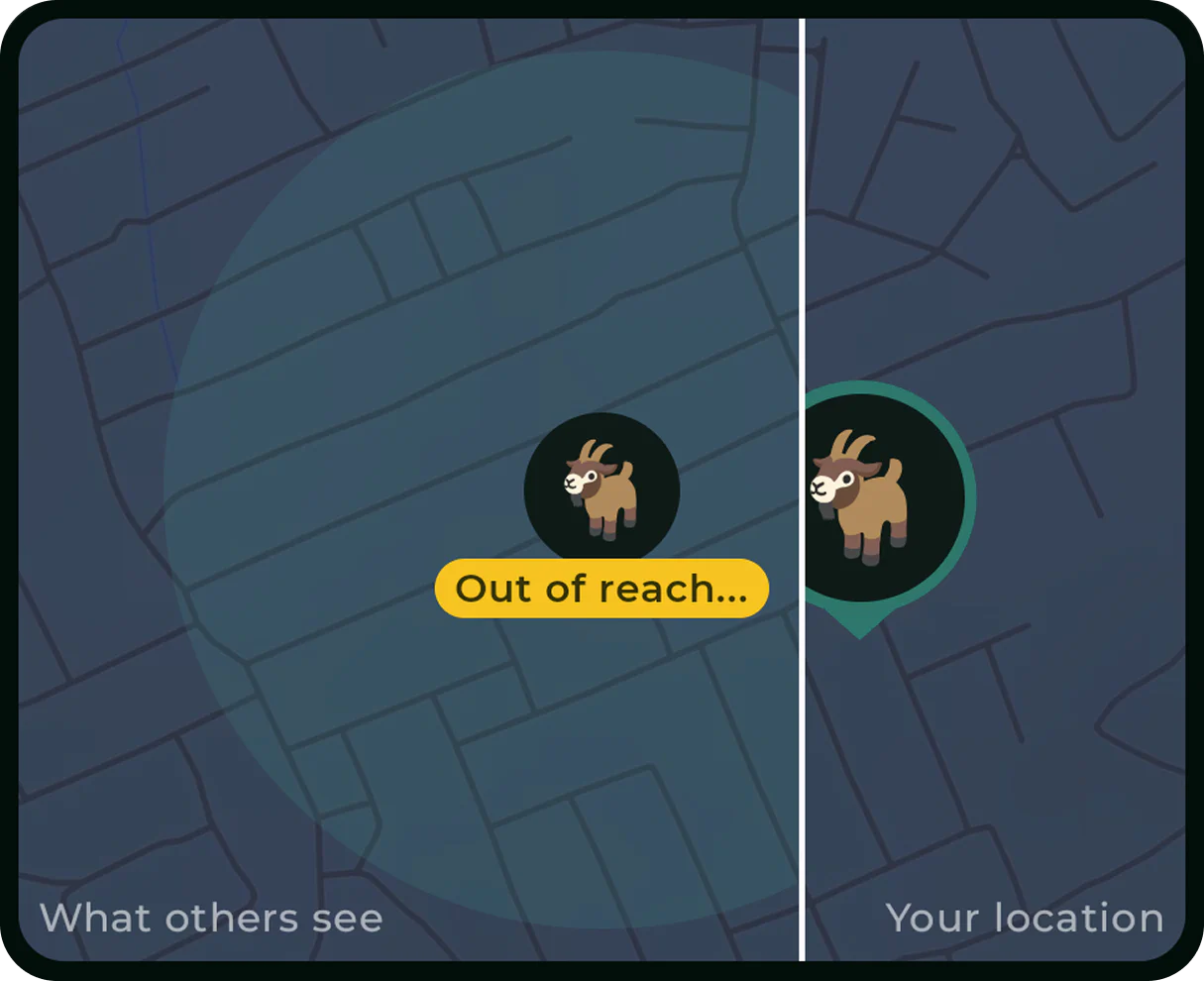
A privacy zone is a private area on the map that protects your actual location in places where you want extra privacy. When you enter a privacy zone, Paralino automatically obfuscates your position and shares an approximate area instead. This allows you to protect your privacy without having to turn off location sharing entirely.
Privacy zones

How to Create a Privacy Zone →
How to Delete a Privacy Zone →
What Are Privacy Zones →
  • Privacy Policy
  • Terms of Use