Title here
Summary here
Android requires a persistent (ongoing) notification while Paralino runs the location sharing service in the background. That notification keeps the service active and makes it clear to you that your location is being shared with others.
If you do not like that behaviour you can simply turn off those notifications manually. Other Paralino notifications for events like place alerts, battery notifications, etc. are unchanged, and location sharing stays on.
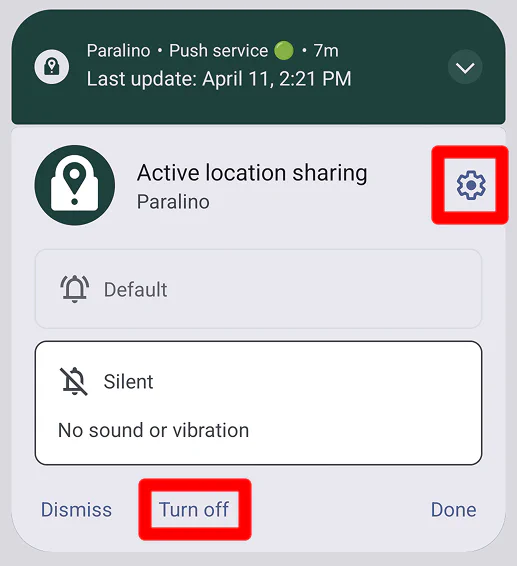
From there you can either turn off or minimize that specific notification.
If you are using de-googled version of Paralino on Android, you can follow the same steps to turn off Push notification service notification.
All other Paralino notifications will still arrive as they did before, and location sharing will remain active.
Location sharing is still active
Keep in mind that location sharing will still be active even if you turn off the persistent notifications.
You can stop sharing your location at any time by following the steps in the How to stop sharing location section.