Title here
Summary here
Before you can share your location with a group in Paralino, you need to grant location sharing permissions to the app.
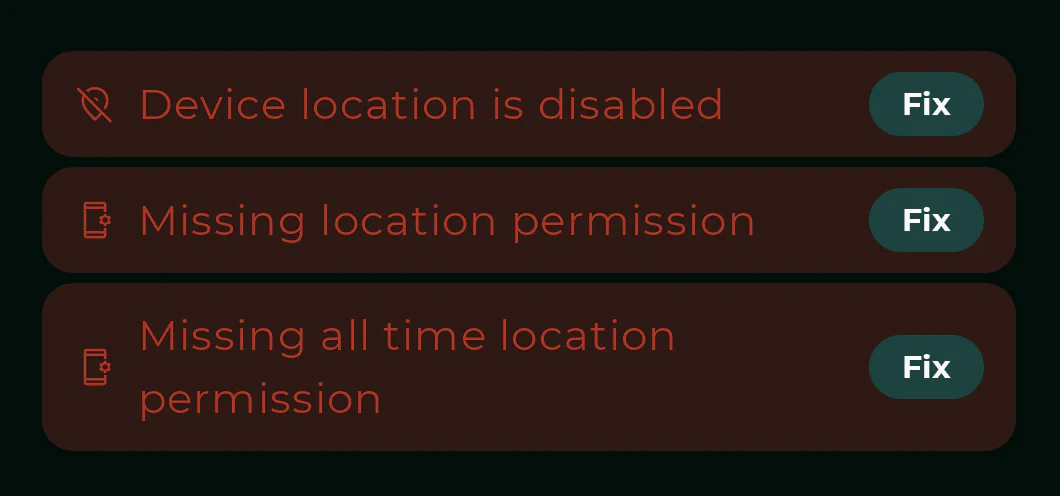
You need to enable your device’s location services (GPS) in order to locate your device. You can navigate to the system settings and turn on location services directly from sharing settings in Paralino.
If you want to share your location with family and friends, you will be prompted to grant Paralino access to your device’s location. You can choose to allow access only while using the app, or allow access all the time.
To reliably and always share your location with others, please grant Paralino “Allow all the time” on Android and “Always” on iOS location permissions. You can do this by going to sharing settings directly in Paralino or search for Paralino in your system settings and enable those permissions.
Duration limit
If you don’t give Paralino all time location permission, you will not be able to select long term location sharing.
Also, your place alerts might not work as expected due to the fact that app does not have permission to access your location in the background
When you grant Always on location permission to Paralino for the first time, iOS will respect that only for a few days. At some point, iOS will prompt you to continue allowing Paralino Always on location permission or revert back to “While Using the App”.
This is a system prompt that appears randomly when you don’t use the app. It is very easy to dismiss or tap the wrong button and revoke background location permission. While this is a great privacy feature on iOS, it will stop all background location updates from working if you or someone in your group misses to confirm it.
To prevent this, please make sure to confirm Always on location permission when the system prompt appears.
If you do miss it, please open Paralino app again and you will see the red error message directly on the map. Tap it and allow Always on location permission again.
Once you confirm it for the second time, iOS should respect that decision and will not prompt you again.
Your data is encrypted
All your data in Paralino is end-to-end encrypted, safe and private. There is no tracking, ads and nasty business. All you get is clean and secure location sharing experience and you don’t have to worry about Paralino having all time location permission.