Title here
Summary here
Paralino also provides a de-googled Android version designed for users who prefer running without Google Play Services. You can get it directly as an APK file from the download page:
Compared to the default Android app, it uses MapLibre SDK instead of Google Maps, Android LocationManager instead of Google fused location services, a built-in push notification service instead of FCM, UnifiedPush integration, and built-in automatic app updates.
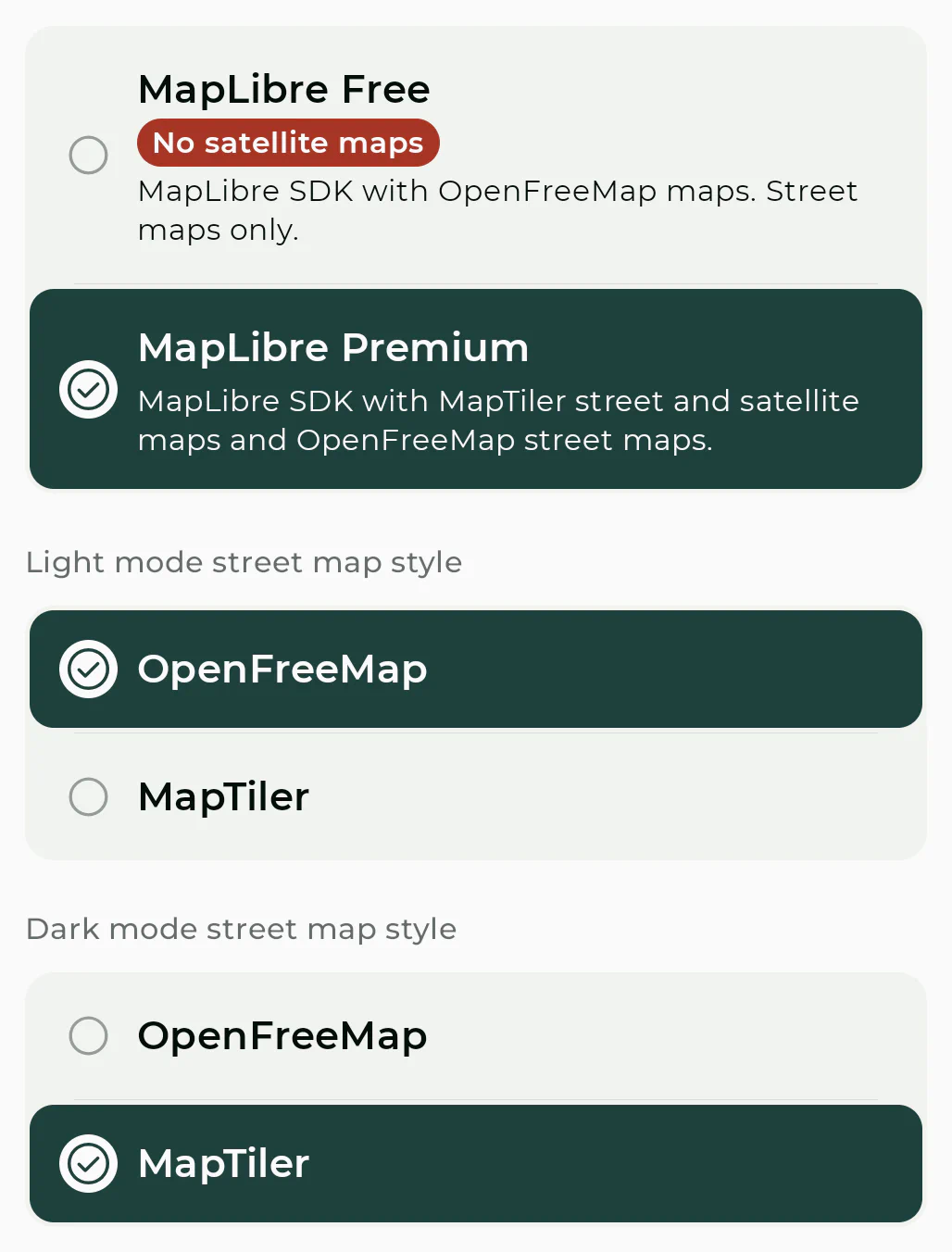
Maps are backed by
MapLibre SDK with OpenFreeMap and MapTiler tiles and map styles.
The free version uses
OpenFreeMap map tiles. Premium adds
MapTiler map styles in addition to OpenFreeMap and includes satellite maps from MapTiler.
Short and simple: providing map tiles is not free; it costs money to develop, maintain, and host.
MapLibre and OpenFreeMap are free to use, but they are not free to run. Therefore, Paralino sponsors them to help support their long-term sustainability.
Other map providers are exclusively usage-based paid services, and you will need a premium plan to use them. Paralino has no ads and no hidden data monetization, so there is no alternative income source that offsets these infrastructure costs.
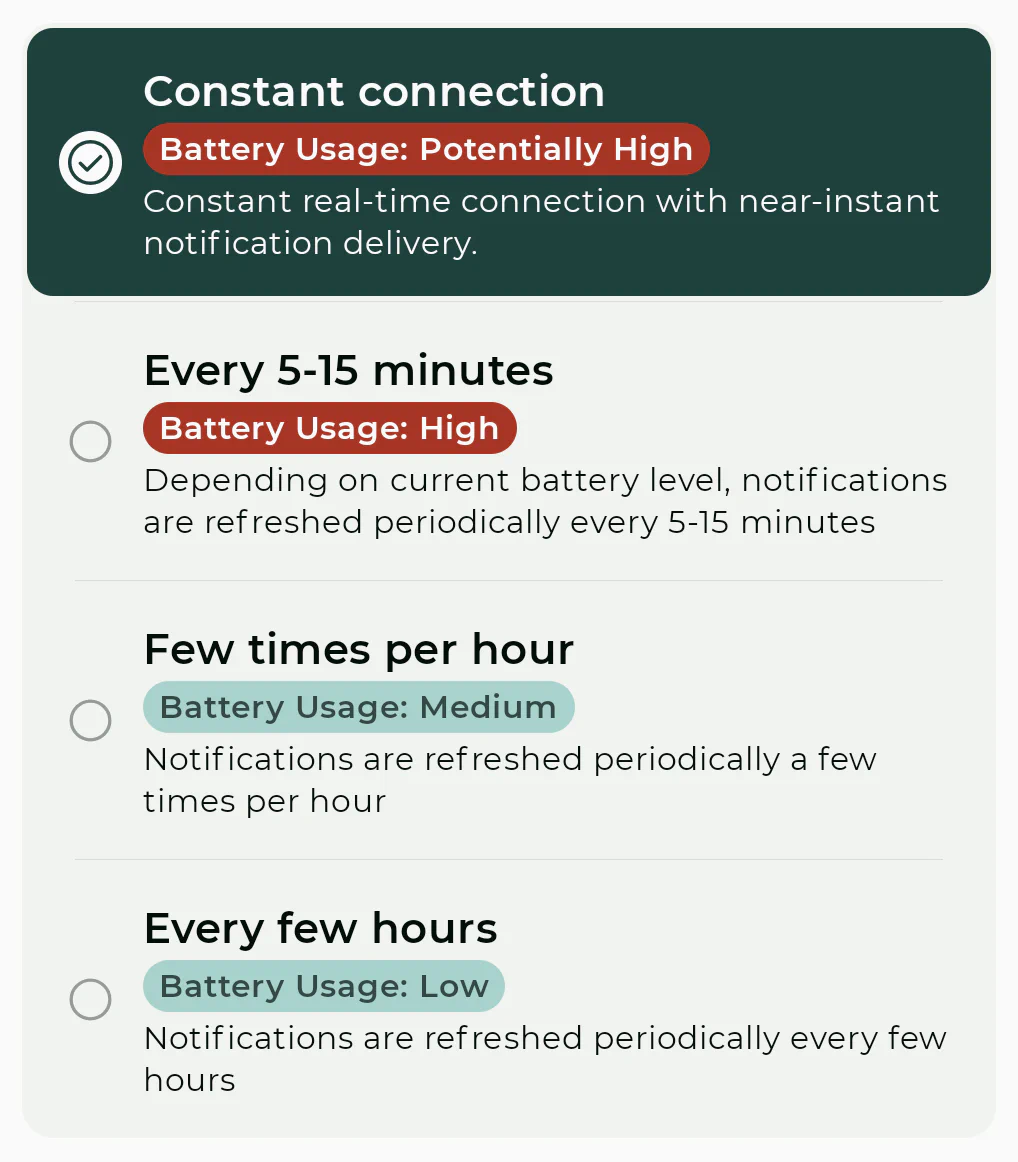
The de-googled app uses a built-in background service that keeps a socket connection with Paralino servers or UnifiedPush distributors so notifications can be delivered without Firebase Cloud Messaging.
No extra setup is required and everything works out of the box. You can choose how aggressively this connection is maintained, from near real-time delivery to more battery-friendly periodic refresh modes.
Please note that when using periodic refresh mode, manually requesting a location update will not work since your device cannot be reached on demand.
When using a WebSocket connection, battery usage in the majority of cases is negligible. But on some devices and scenarios, it can be more significant, especially if Paralino is not allowed to run in the background.
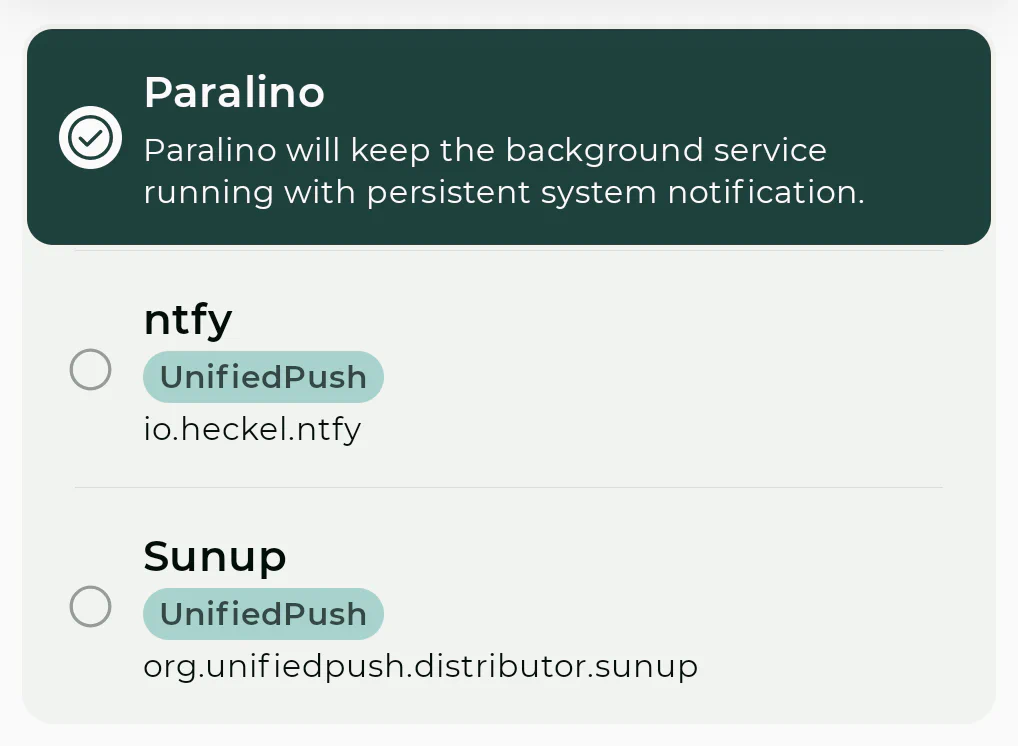
If you use and have a UnifiedPush distributor installed on your device, you can also select it as your push provider.
All push notifications in Paralino are just empty pings, so no data is ever leaked or transferred to third parties even if you use UnifiedPush.
When your UnifiedPush distributor receives a ping, it will forward it to the Paralino app which will then fetch the actual notification, decrypt all necessary content locally and display it to you.
This version uses Android LocationManager instead of Google fused location. In practice, this means location quality depends more on the OS and the available system location backends.
On GrapheneOS and similar systems with a properly configured network location backend, results can be very good. On other de-googled systems, first fixes may be slower and network-assisted accuracy may vary more than on devices using Google fused location.
Geofence support is not available in the de-googled variant since it is not something that is built into the Android OS. Therefore if you use Places, push notifications might not be as good and accurate as they are on the default Google version.
The de-googled app includes built-in update checks. When a new version is available, you are notified inside the app, and you can also open the app settings to see if there is a new version available.
When you start an update, the APK is downloaded and Android then asks you to install it. On first use, Android will prompt you to allow app installation for Paralino from this source and you will see a screen similar to this one:
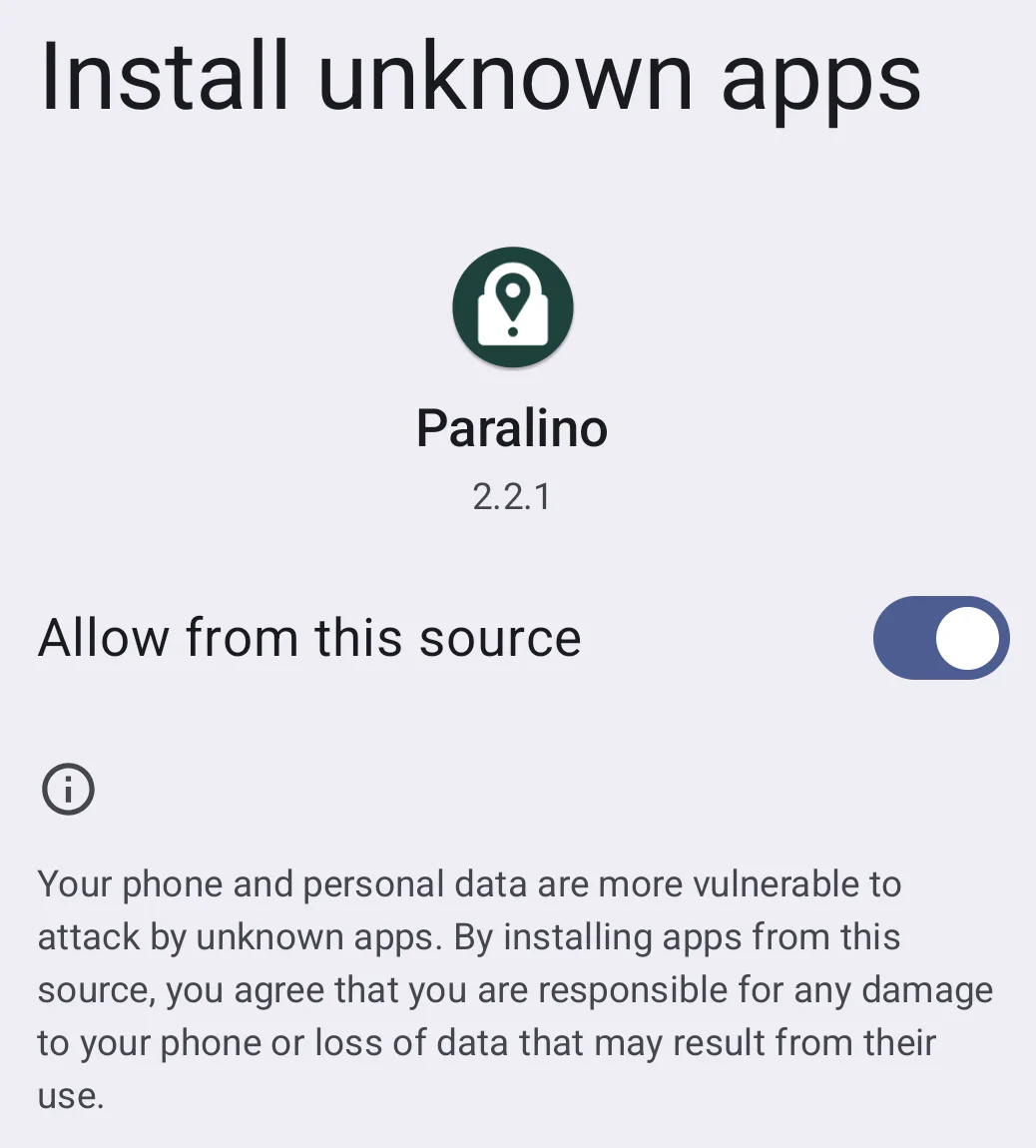
This permission is required for built-in automatic updates to work. However, if you don’t want to grant this permission, you can always manually download the new version from the Download page and install it separately.